Manage connected browsers and devices
The personal settings page gives you an overview of the connected browsers and devices.
Managing connected browsers
The list of connected browsers shows which browsers have connected to your account recently:
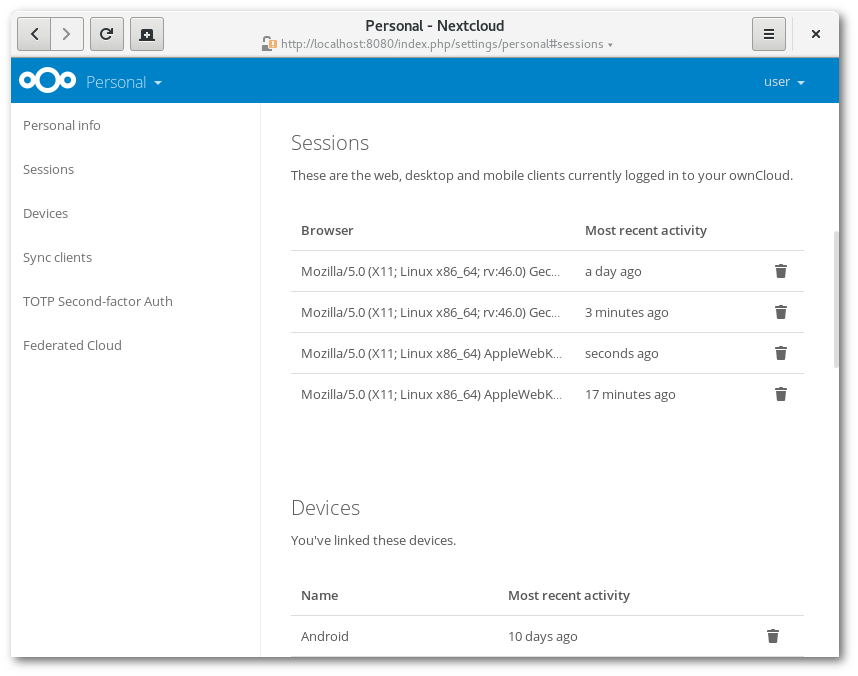
You can use the trash icon to disconnect any of the browsers in the list.
Managing devices
The list of connected devices shows all the devices and clients you generated a device password for and their last activity:
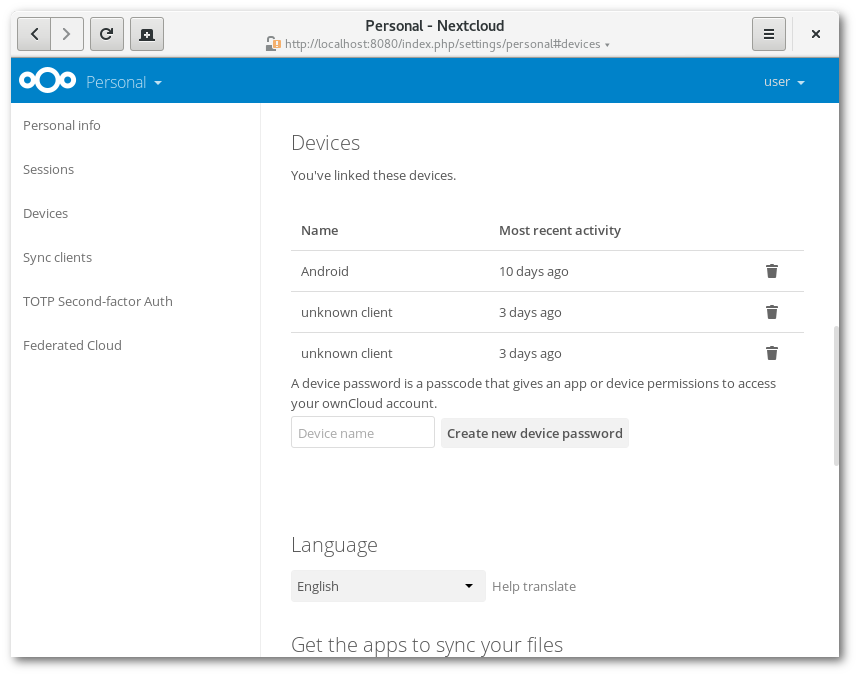
You can use the trash icon to disconnect any of the devices in the list.
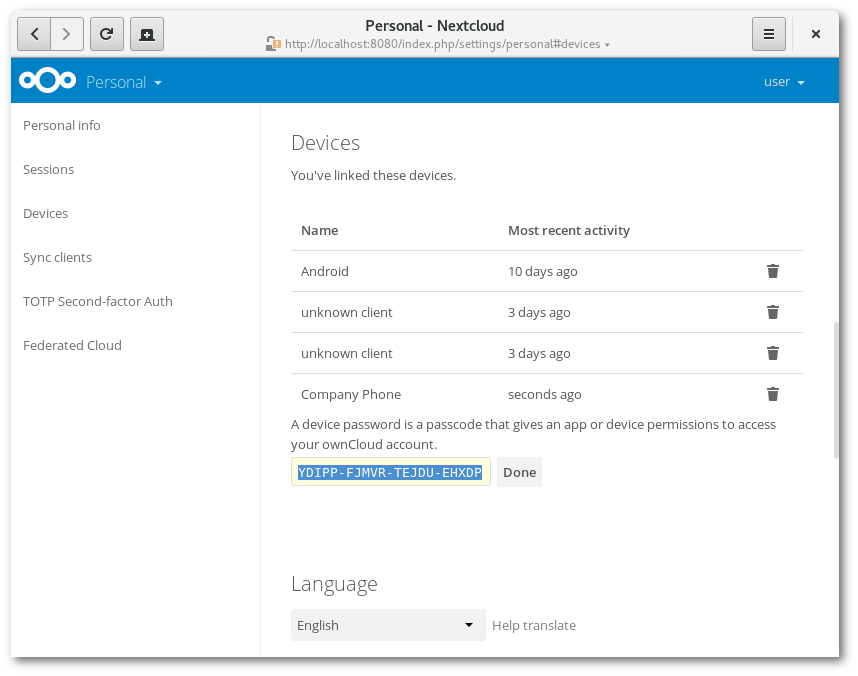
At the bottom of the list, you can create a new device-specific password. You can choose a name to identify the token later. The generated password is used for configuring the new client. Ideally, generate individual tokens for every device you connect to your account, so you can disconnect those individually if necessary:
Note
You only have access to the device password when creating it. Nextcloud does not save the plain password, so enter the password on the new client immediately.
Note
If you use Using two-factor authentication for your account, device-specific passwords are the only way to configure clients. The server will then deny connections from clients using your login password.
Device-specific passwords and password changes
When a password changes in an external user backend, all device-specific passwords are marked as invalid. Once you log in with the main password, all device-specific passwords are updated and work again.